Executive Dashboard
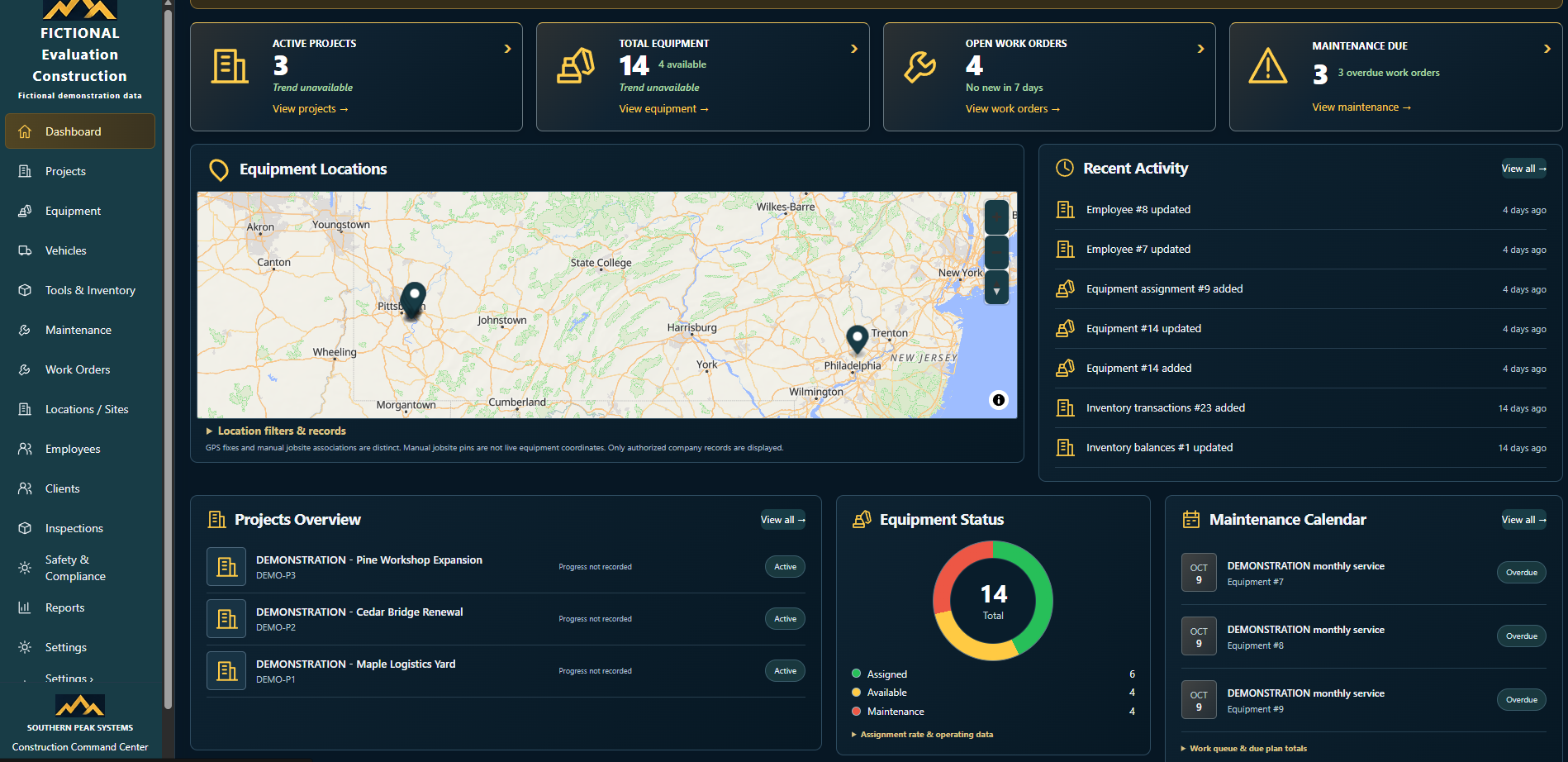
An operational overview of active projects, equipment, open work orders, and maintenance due, with direct links into each area.
One Platform. Complete Construction Operations Management.
Construction Command Center brings your projects, people, equipment, and daily operations together in one centralized platform. From job-site management and equipment tracking to work orders, maintenance, employee management, and operational reporting, the system is designed to give construction businesses greater visibility, accountability, and control.
When project updates, equipment records, maintenance schedules, and employee information live in separate spreadsheets, messages, and documents, it takes more effort to understand what needs attention. Construction teams need a shared view of the work that supports clear decisions and everyday accountability.
An operational overview of active projects, equipment, open work orders, and maintenance due, with direct links into each area.
Organize construction projects with status and project identifiers, and review active work from the dashboard.
Maintain job-site and location records and connect them to the work, people, and equipment they support.
Track heavy equipment, review availability and status, and record assignments to the people and projects that use it.
View equipment and job-site locations on a map, with location filters and records for authorized company data.
Manage company vehicles and fleet records as a dedicated part of the same platform.
Keep tool and inventory records organized, with inventory transactions and balances reflected in recent activity.
Maintain employee and personnel records to support foreman and crew assignments across projects.
Support time-tracking and payroll-related workflows connected to your employee records.
Schedule maintenance, monitor due and overdue service on a maintenance calendar, track service history, and manage work orders.
Keep client information and operational records together with the projects and resources they relate to.
Dedicated areas for inspections, safety, and compliance records, supporting accountability in the field.
Review operational information through a Reports area and dashboard summaries to support planning and decisions.
Follow a running activity feed of record updates, additions, assignments, and inventory changes.
Construction Command Center is designed for organizations that need clearer control over projects, equipment, maintenance, and people.
Construction Command Center connects projects, job sites, equipment, fleet, people, maintenance, and compliance records in one environment, so office and field teams work from the same information and every change is part of an accountable record.
Explore Construction Command Center through the live demonstration environment.
Launch Demo